
Dedicated account manager
Your account manager will be your point-of-contact for regular support such as:
Providing leadership onboarding virtual call
Providing team onboarding virtual call
Team setup and credential disbursement
Reviewing best practices to make the most of the program
Maintenance & team tracking to assure team progression and completion of the program
Your team recognizes that certification through an accredited organization will set the bar high and we love it! This shows the world that you're committed to excellence and understand the importance of standards in a constantly changing regulated environment.
Additional perks of PACS® graduates
Mentorship
Gain access to mentors in the prior authorization space, who are ready to assist you with navigating your specific journey.
Networking
Get invited into exclusive social media groups to talk to others who have completed the PACS program.
Continued Support & Resources
Reach out to your account manager at any time to assist with any further needs, like custom education.
Amplification
Get access to social media congratulatory posts and customized badges for your website to display program success.
Authorized PACS® seal usage for your team
As a team deployment, upon team completion you are authorized to use the official PACS Seal on a variety of platforms: LinkedIn, your company website, and on business cards.
Prior Authorization Certified Specialists demonstrate a commitment to patient access and better outcomes for all. There are several ways you can signal to your network that your team has successfully attained proper accredited certification.
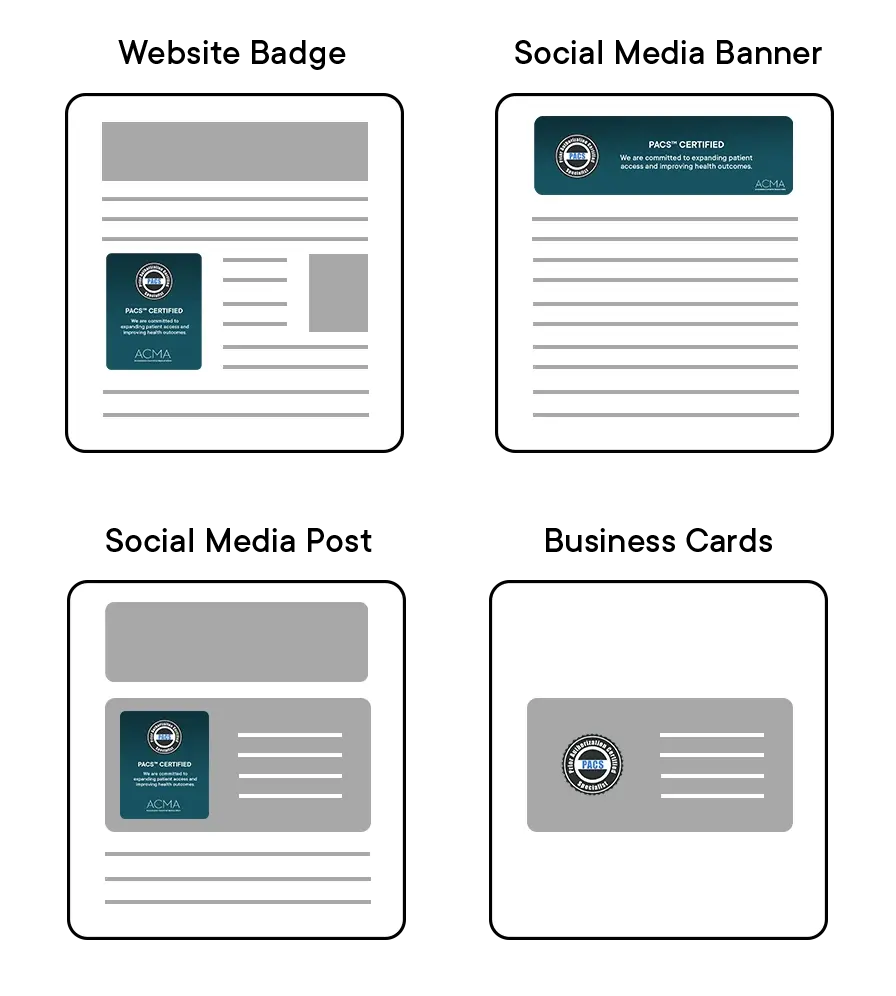
Ways to display your team achievement:
Website Badge
Social Media Banner
Social Media Post
Business Cards
We will provide custom messaging and/or display for your Team Certification achievement. We work directly with your marketing team or appropriate team member to abide by company guidelines. Download the example use cases below and contact your account manager for details.
Upgraded power user account
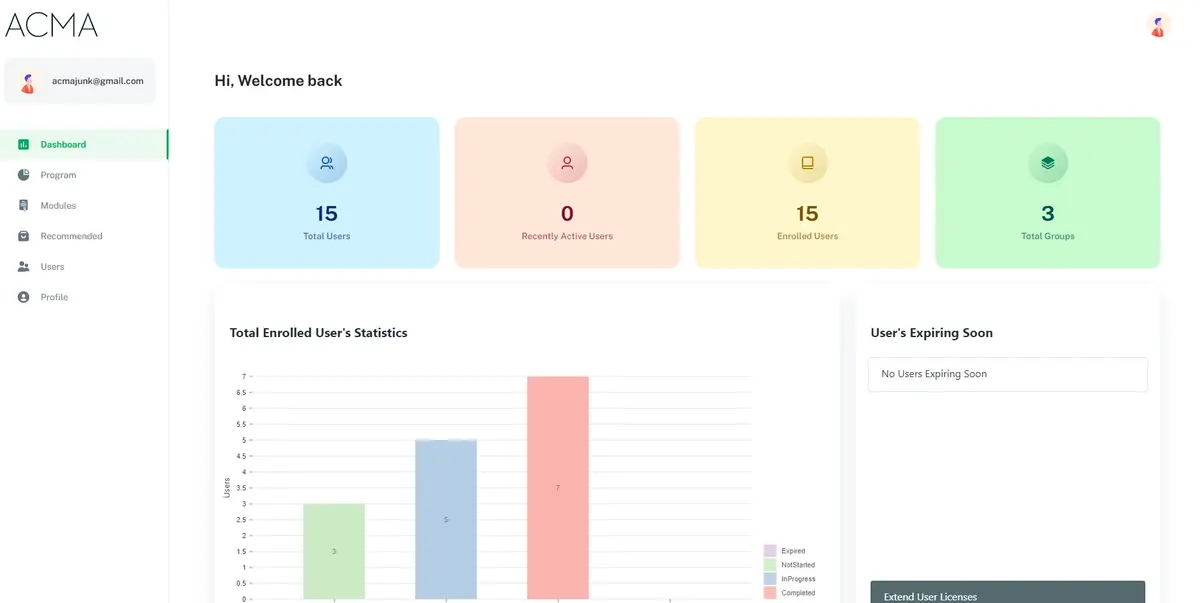
Unleash powerful insights into your team's progress in the PACS program. Build a professional roadmap for your team with key features like access to frequently requested reports, or ask your account manager for additional custom features.
Always know where your team stands, at your convenience, with real-time data. Your account manager will demonstrate how to use this simple yet powerful tool.

Custom training
Whether you notice team members struggling with a particular module within the program, or if you would like additional training on a totally separate topic, custom training may be the perfect solution for your team. The ACMA has you covered, all in a familiar learning platform.
Below is a list of frequently requested topics from our partners. Choose from these or let us know what you need; we can build your program custom and tailored for your company. Contact your account manager and let them know what you need.
Pharmacy Mobile Applications & Resources
Patient Centricity
Reinforce knowledge of federal, state, and commercial health plans
Social & Behavioral Pharmacy
Diversity in Clinical Trials
Rare Diseases
HIPAA
PhRMA Code
FAQs
How can I add more team members to the program?
How is my team doing in the program so far?
What are other training solutions that can further upskill my team?
What other solutions can ACMA help my team with?
Can I extend access to the program for my team or a select few team members?
How do I navigate the Power User account?
What are some ways I can encourage my team to start / complete the program?